
Acclaim empowers you to comment on, discuss, and annotate relevant class content as part of activities and assignments.
Posting a time-specific comment
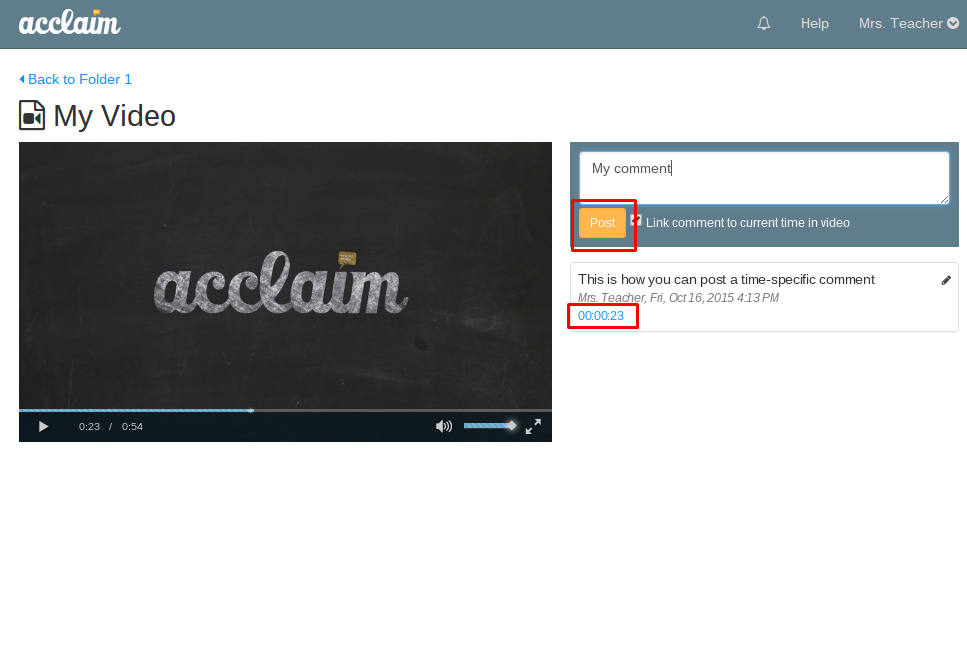
To post a time-specific comment, pause the video at any given moment or simply click inside the text-box to the right of the video to pause, then enter your comment and click on "post". You will then see the attached time on the comment itself.
Posting a general comment
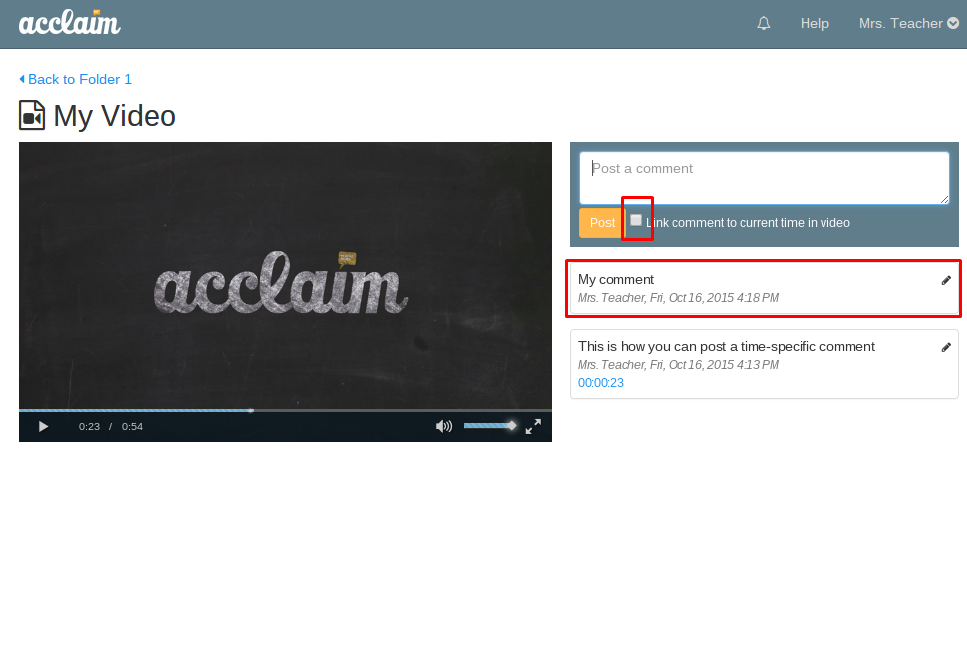
You may post a comment that is not linked to a specific time in a video. To do this, enter your comment, uncheck the box next to the post button, and click "post". You will then see your comment appear without an attached time.
Replying to a comment
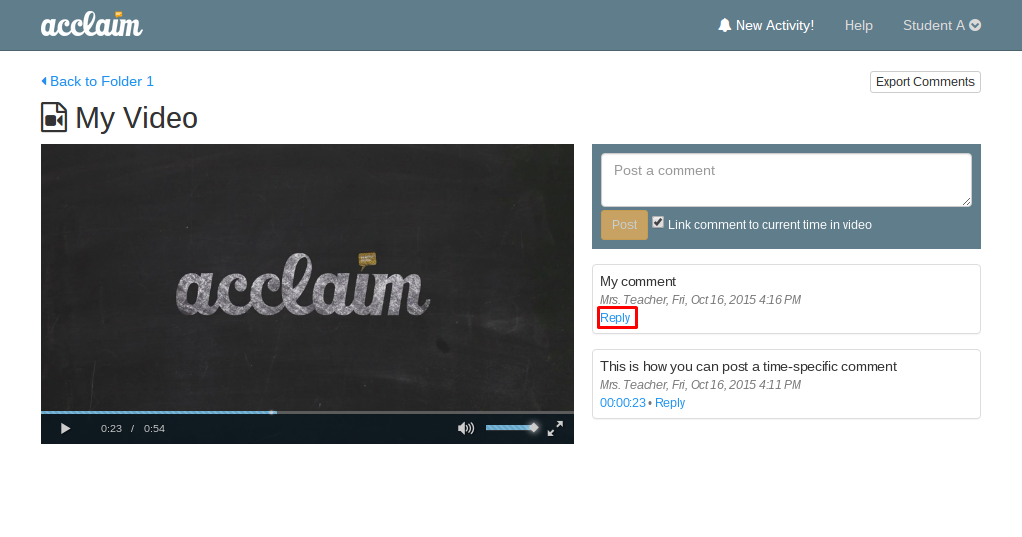
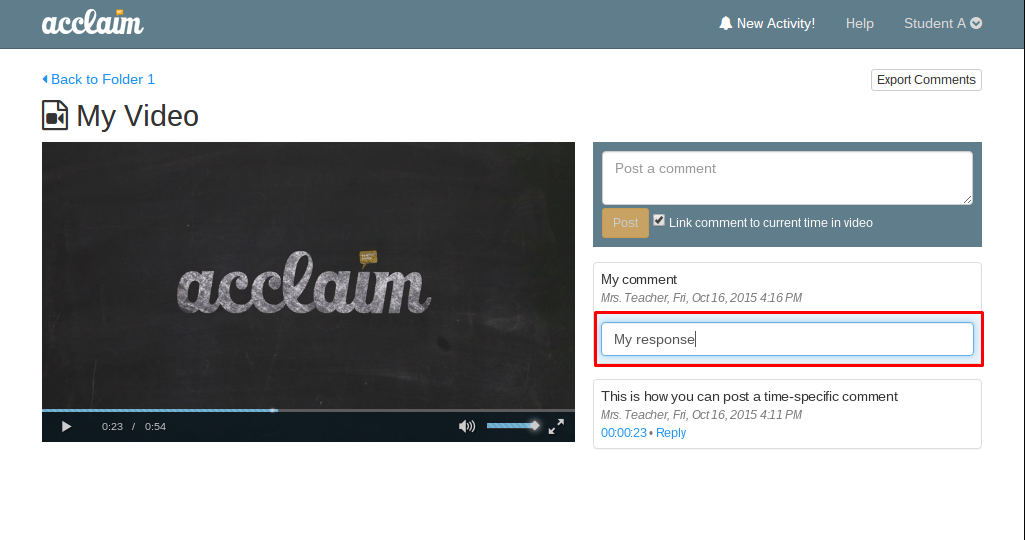
Acclaim gives you the ability to respond to both time-specific and general comments. To do this, simply click the "reply" link on a comment, type your response inline, and hit "enter" on your keyboard.
Exporting comments
Once comments have been posted, you may export them. To do this, click the "Export Comments" icon at the bottom right of the commenting box and Acclaim will automatically format the comments in a downloadable .csv formatted file.

0 Comments