
*LTI Integrations are only available under paid Acclaim plans. For more information, please contact us or visit our pricing page.
Acclaim seamlessly integrates with Canvas, which allows users to open Acclaim within the LMS with one set of login credentials. Further, Acclaim will automatically map course name(s) and rosters for ease of use and clarity. To set up the integration manually, please follow these steps:
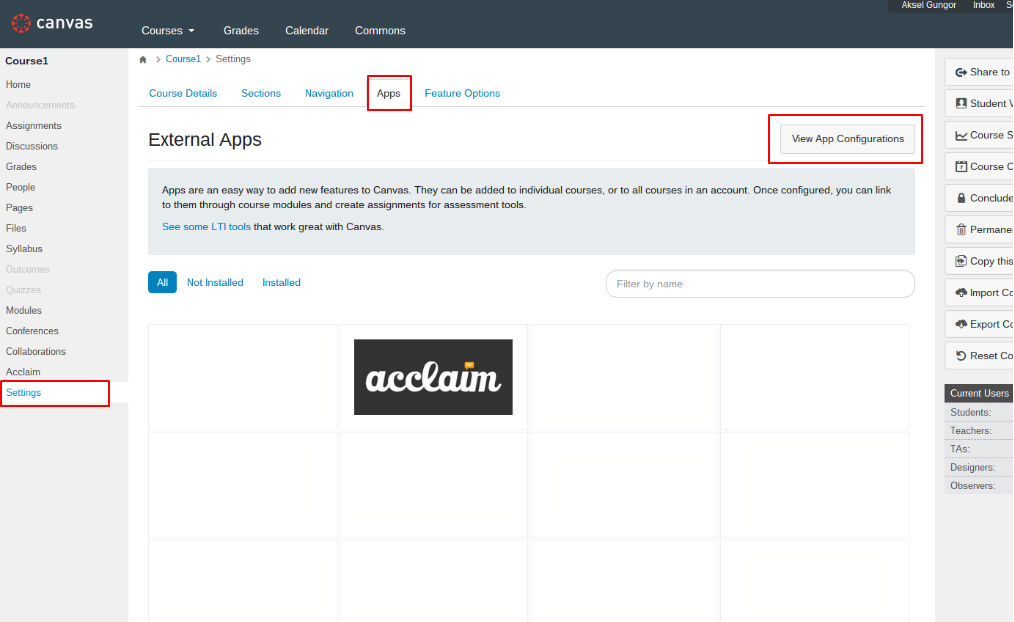
1) In your course, click on "Settings" at the bottom left of your menu, select the "Apps" tab, and click on "View App Configurations" on the right hand side.
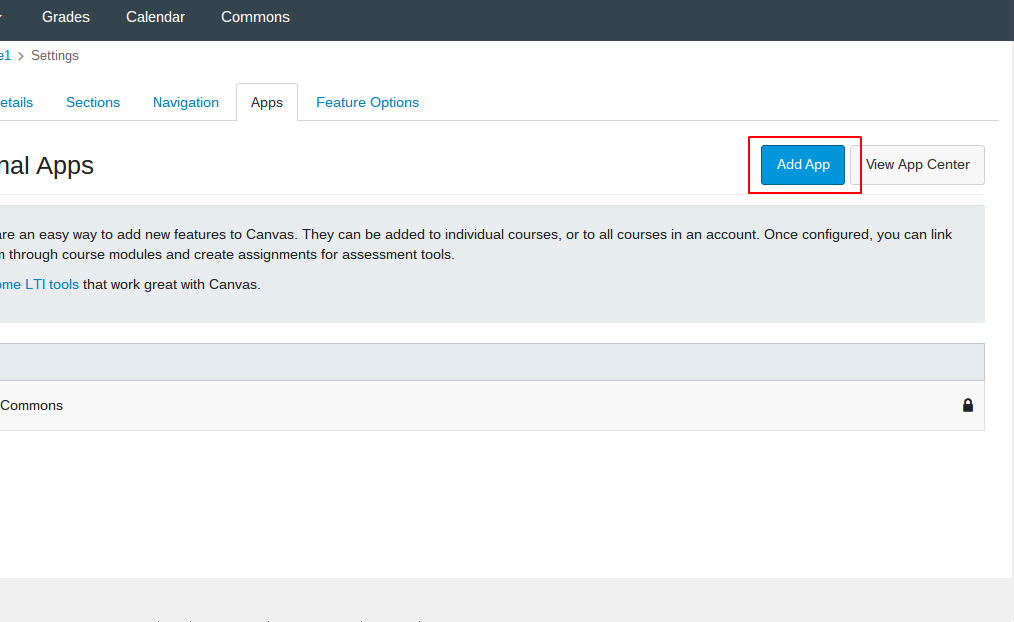
2) Click on “Add App" to start filling out the integration details.
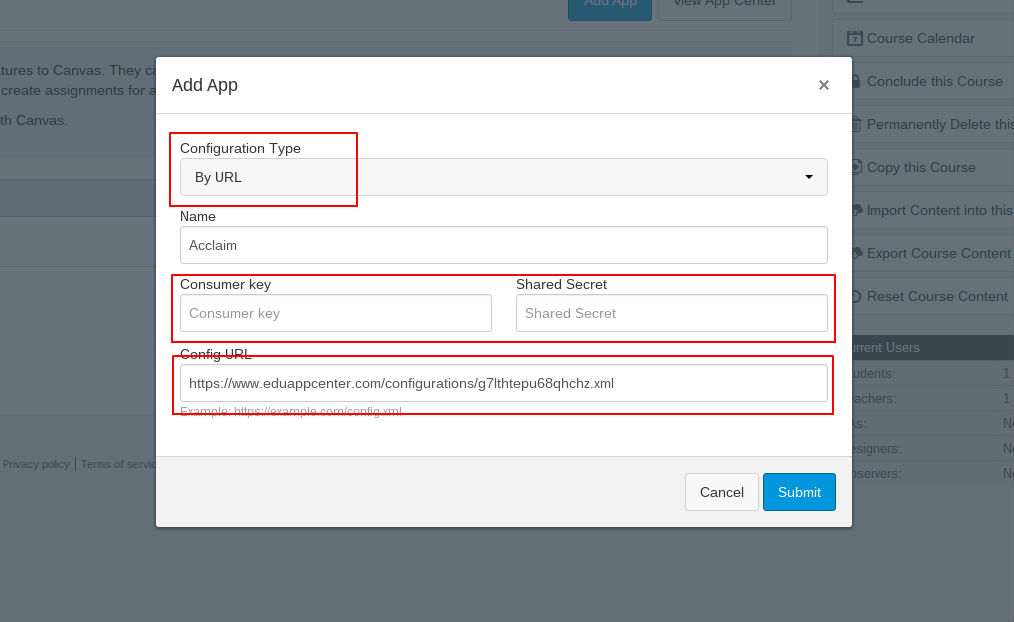
3) Enter your information.
Configuration Type: Select "By URL"
Name: This will show up within your course content as the link title.
Consumer Key / Shared Secret: The "Consumer Key" and "Shared Secret" are information we'll provide upon signing up for the premium version of Acclaim. Please contact us if you don't have these keys already.
Config URL: This will always be https://www.eduappcenter.com/configurations/g7lthtepu68qhchz.xml
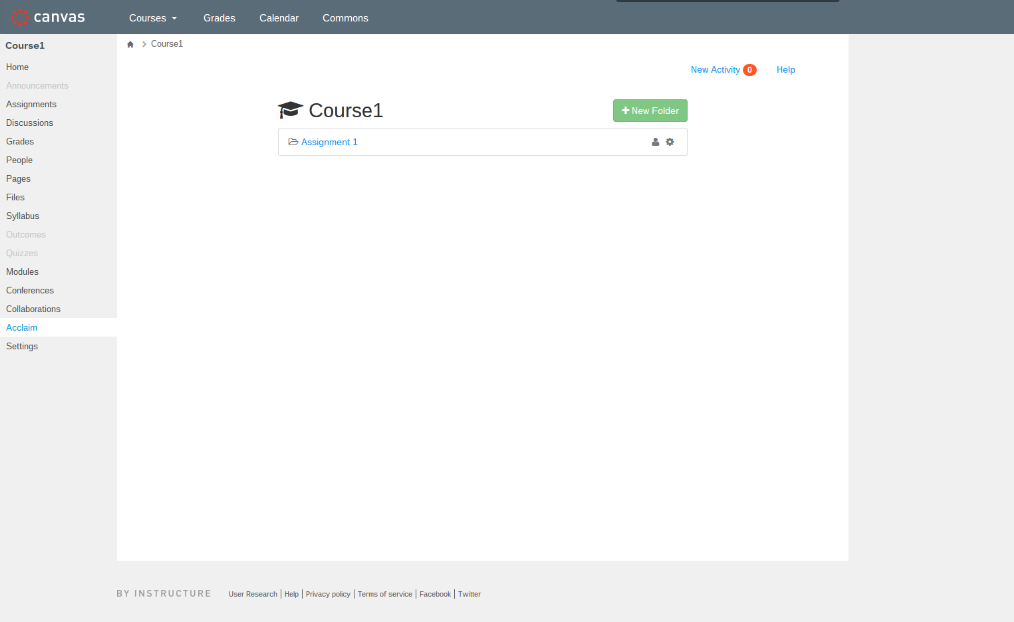
4) You will need to refresh the page or click on one of your menu items, such as "Home", to see Acclaim show up in your navigation menu.
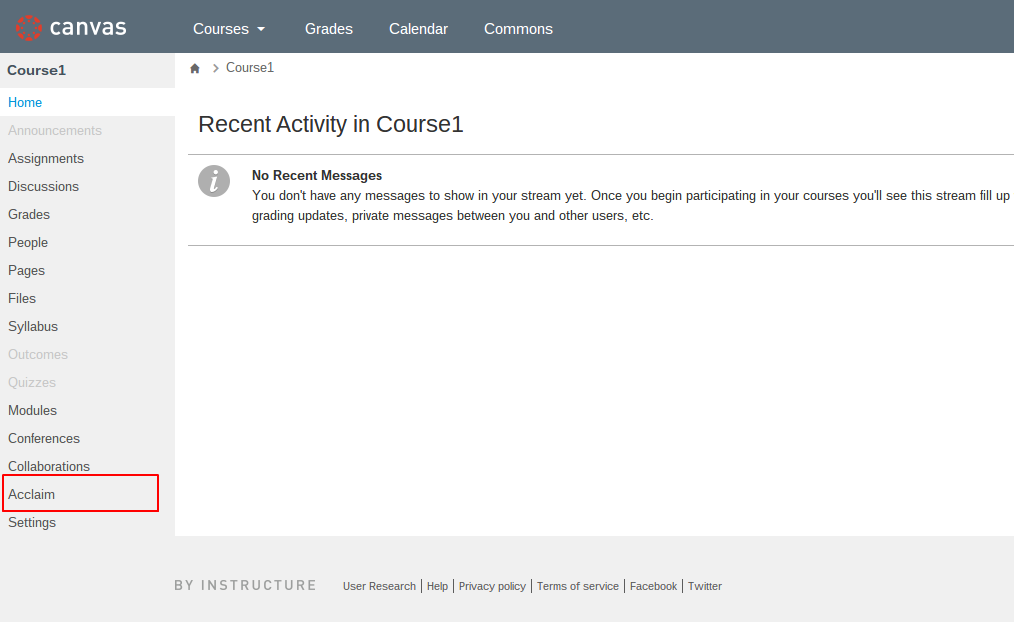
5) Clicking on Acclaim in the menu will launch Acclaim directly within Canvas and log you in automatically. That's it, you're done!
0 Comments