
*LTI Integrations are only available under paid Acclaim plans. For more information, please contact us or visit our pricing page.
Acclaim seamlessly integrates with Canvas, which allows users to open Acclaim within the LMS with one set of login credentials. Further, Acclaim will automatically map course name(s) and rosters for ease of use and clarity. To set up the integration, please follow these steps:
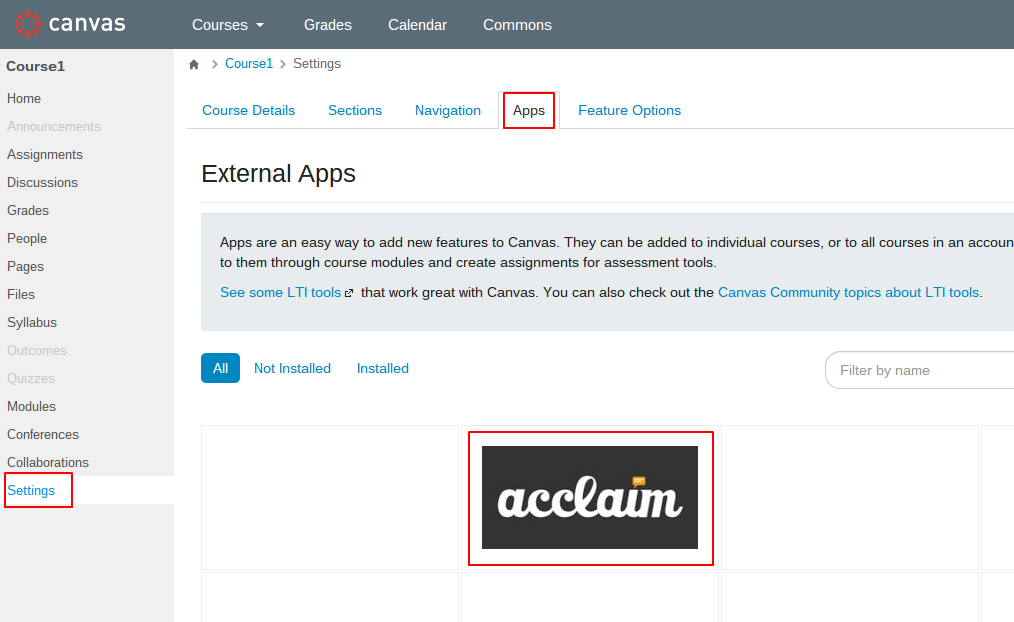
1) In your course, click on "Settings" at the bottom left of your menu, select the "Apps" tab, and click on "Acclaim" in the list of apps.
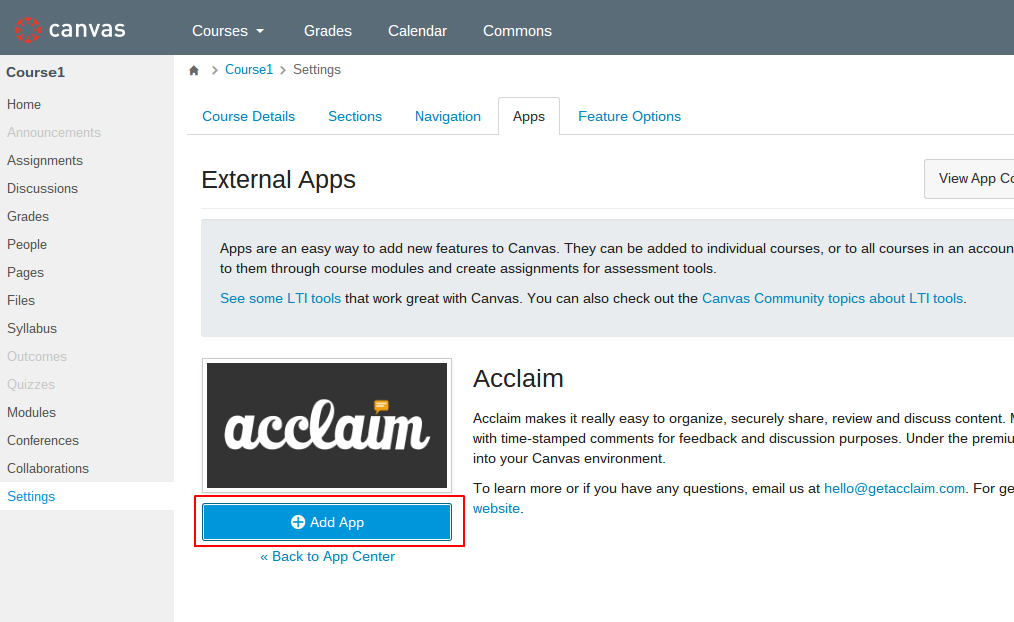
2) Click on “Add App" to start filling out the integration details.
3) Enter your information.
Name: This will show up within your course content as the link title.
Consumer Key / Shared Secret: The "Consumer Key" and "Shared Secret" are information we'll provide upon signing up for the premium version of Acclaim. Please contact us if you don't have these keys already.
Note: If you ever need to install Acclaim manually, you will need a launch URL, which will always be "https://app.getacclaim.com/lti-launch/
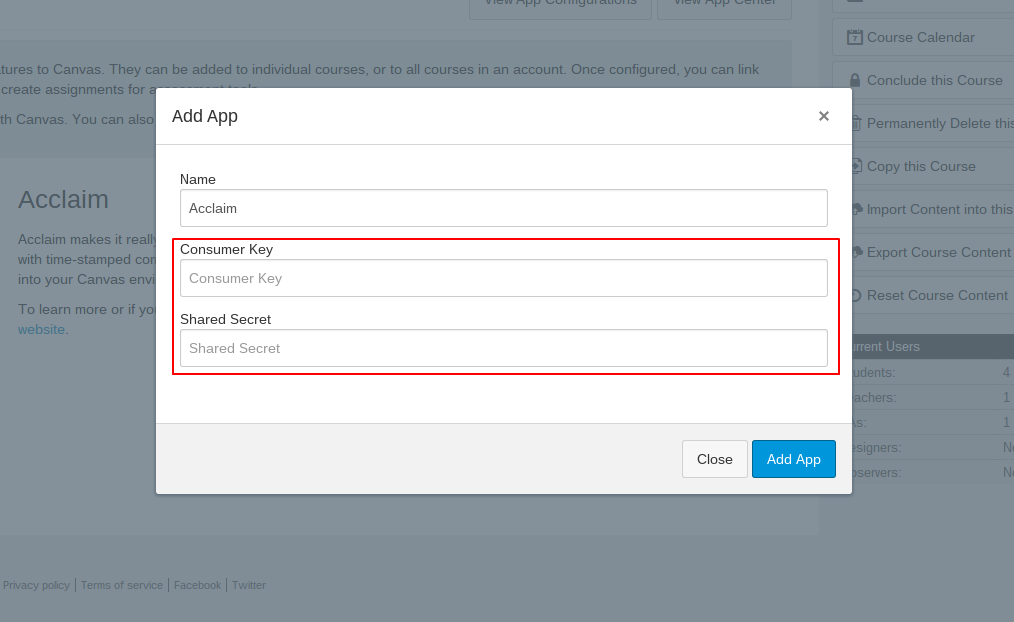
Click on “Add App”. You’ve now successfully installed Acclaim as an External Tool!
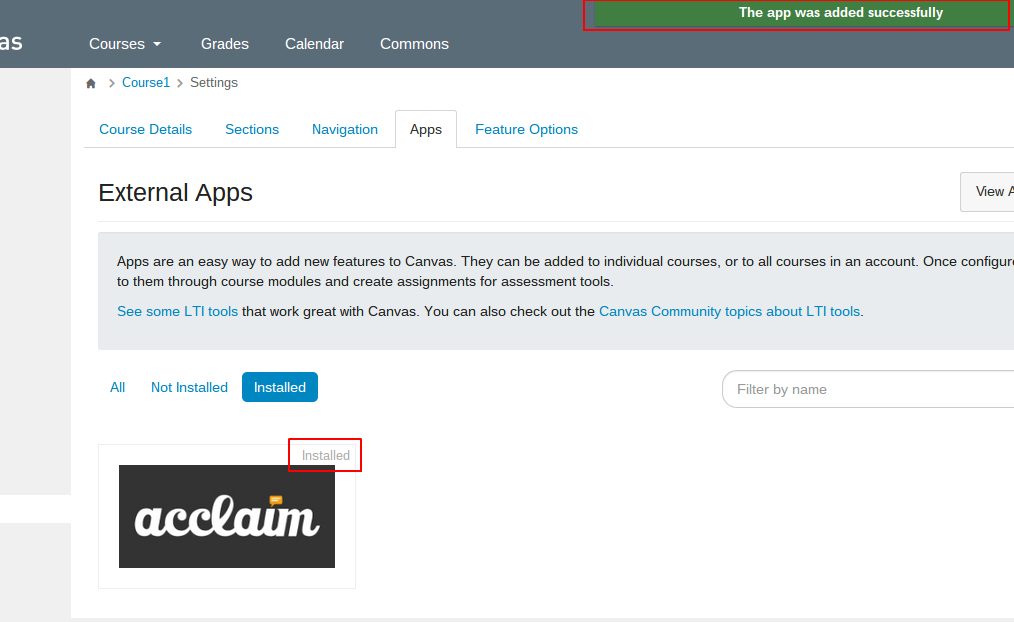
4) You will need to refresh the page or click on one of your menu items, such as "Home", to see Acclaim show up in your navigation menu.
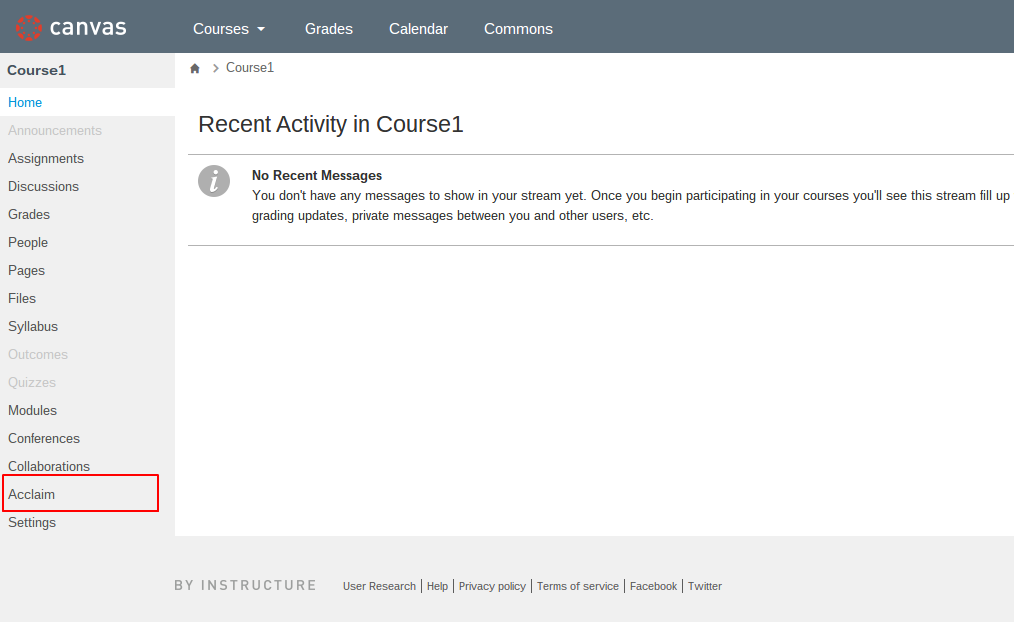
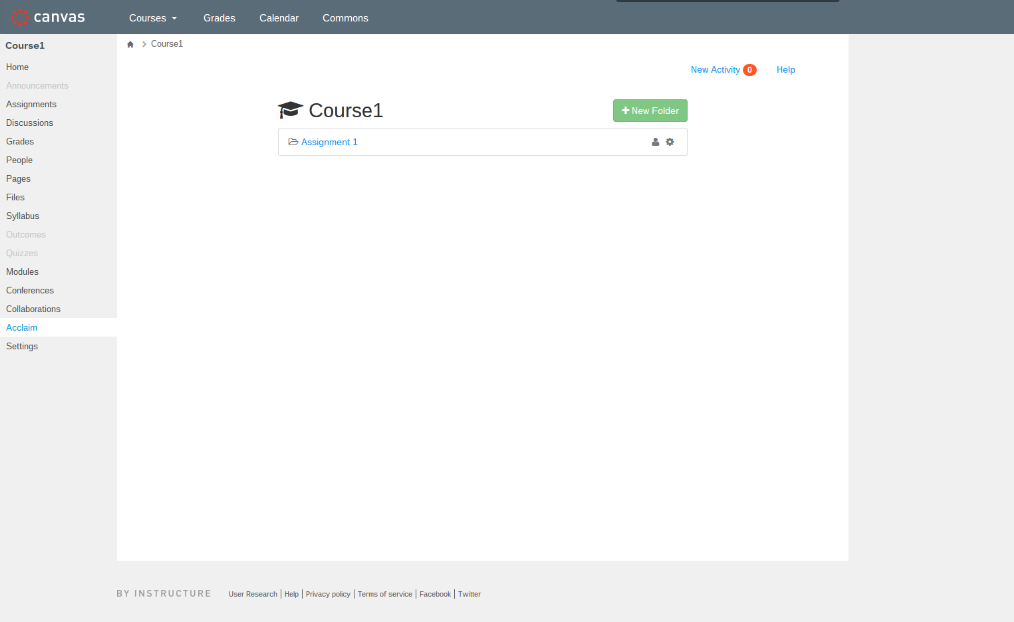
5) Clicking on Acclaim in the menu will launch Acclaim directly within Canvas and log you in automatically. That's it, you're done!
0 Comments